
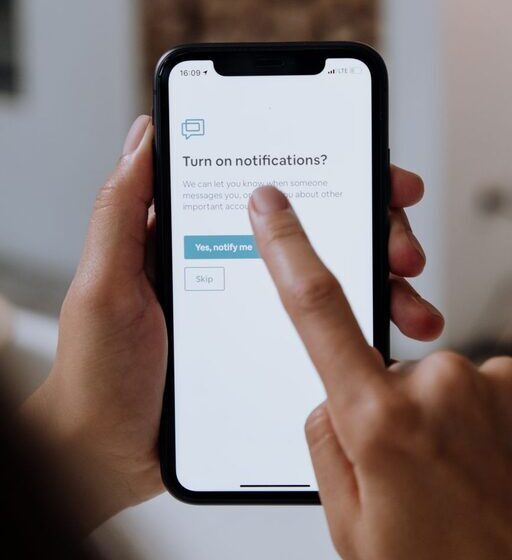

In today’s digital world, staying connected often means dealing with a constant stream of notifications. While they can be useful for staying informed, too many alerts can quickly become overwhelming and distracting. Setting boundaries with your notifications is an important step toward regaining control over your time and reducing stress. In this post, we’ll explore practical tips to help you manage notifications effectively, so they serve you — not the other way around.
Why Setting Boundaries with Notifications Matters
Notifications come from emails, social media, messaging apps, news updates, and more. When we get notified frequently, it can:
– Interrupt our focus and workflow
– Increase feelings of anxiety or stress
– Make it harder to relax during downtime
– Encourage compulsive checking of devices
By creating clear boundaries around when and how you receive alerts, you can protect your concentration and enjoy a healthier balance between screen time and real life.
Assess Your Current Notification Habits
Before making changes, it’s helpful to take stock of your current habits.
– Which apps and devices send you the most notifications?
Check your phone, computer, and tablet settings to see which apps have permission to alert you.
– How often do you check your device after receiving a notification?
Notice if you tend to respond immediately or ignore alerts.
– What types of notifications are most distracting or stressful?
Are you bothered more by work emails, social media, or news updates?
Understanding your patterns allows you to target the notifications that have the biggest impact.
Tips for Setting Boundaries with Notifications
1. Customize Notification Settings
Most devices let you adjust notification preferences for individual apps.
– Turn off non-essential notifications: Disable alerts from apps that aren’t urgent or important.
– Use “Do Not Disturb” or Focus modes: Schedule times when notifications are silenced, like during work hours or while sleeping.
– Choose banner alerts instead of sounds or vibrations: This makes notifications less disruptive.
2. Set Specific Times to Check Notifications
Establish rituals for when you will review messages and alerts.
– Batch check emails and messages: Instead of responding right away, set times (e.g., twice a day) to go through your inbox.
– Limit social media use: Choose designated moments, such as 15 minutes in the morning and evening.
– Turn off notifications outside of these times: This prevents constant interruptions.
3. Prioritize Notifications by Importance
Identify what truly needs your immediate attention versus what can wait.
– Flag key contacts or apps: For example, work calls or texts from family members can remain active.
– Mute group chats or less critical apps temporarily: You can always check them later.
4. Use Technology Mindfully
Technology offers tools to help manage your attention.
– Enable summary notifications: Some platforms group non-urgent notifications and send them once daily or on a schedule.
– Explore third-party apps: There are apps designed to limit distractions by blocking alerts during focus periods.
– Adjust notification sounds: Using subtle sounds or no sound for less critical notifications can reduce stress.
5. Communicate Your Boundaries
Let people around you know about your notification preferences.
– Inform coworkers about your “offline” hours: This sets expectations about response times.
– Ask friends and family to respect your focus time: They can help by limiting messages during busy periods.
6. Create Physical Space Free of Notifications
Sometimes it helps to step away from devices altogether.
– Designate “no phone” zones: During meals or family time, keep phones in another room.
– Use airplane mode or power off when needed: This can help you fully disconnect and recharge.
7. Reflect and Adjust Regularly
Your needs might change over time, so review your notification settings periodically.
– Notice what works and what doesn’t: Adjust based on your productivity and stress levels.
– Celebrate improvements: Recognize when setting boundaries leads to better focus and well-being.
Benefits of Setting Notification Boundaries
By managing notifications thoughtfully, you can:
– Improve your concentration and work quality
– Feel less overwhelmed and anxious
– Enjoy more meaningful interactions in your personal life
– Sleep better by reducing nighttime alerts
– Reclaim control over your daily routine
Final Thoughts
Notifications are a helpful tool when used intentionally but can quickly become a source of distraction if left unchecked. By customizing settings, scheduling check-in times, prioritizing alerts, communicating your limits, and taking breaks from devices, you can create healthy boundaries that support your focus, well-being, and balance. Start small, experiment with what works best for you, and notice the difference that mindful notification management can make in your life.